Secret Functionality of ChatGPT: What Most Business Owners Don't Know They're Missing
Most business owners only scratch the surface of ChatGPT. Discover hidden features like Memory, Custom GPTs, Canvas, and Advanced Data Analysis that boost productivity.
I remember getting a Swiss Army knife when I was a kid. It had so many gadgets on it. A couple of different knives, a nail file, a magnifying glass, a bottle opener, two things I still haven't figured out, and a mini saw. To be honest, I have never used most of those items, but I was certainly glad to have them.
ChatGPT is a bit like that Swiss Army knife. Lots of functionality, and most people don't use most of it or perhaps even know it's there. Today I'm going to explore the lesser-known features of ChatGPT.
I hear from clients who signed up for ChatGPT, typed a few questions into the chat box, got decent answers, and figured that was the whole show. It's like having my Swiss Army knife and only ever using the bottle opener. Useful, sure. But you're leaving a lot of capability sitting in your pocket.
Here's what caught my attention: OpenAI has quietly rolled out (and occasionally buried) a collection of features inside ChatGPT that most users don't know exist, don't understand, or haven't figured out how to apply to actual business problems. Some of these aren't even visible unless you know where to look. Others are right in front of you, labeled so generically that you'd scroll past them without a second thought.
So let's fix that. I'm going to walk through the ChatGPT hidden features that I think matter most for small business owners in 2026, explain what they do in plain language, and tell you which ones are worth your time. Fair warning: a couple of them might genuinely change how you run parts of your business. Some of the others, you may not care about as much.
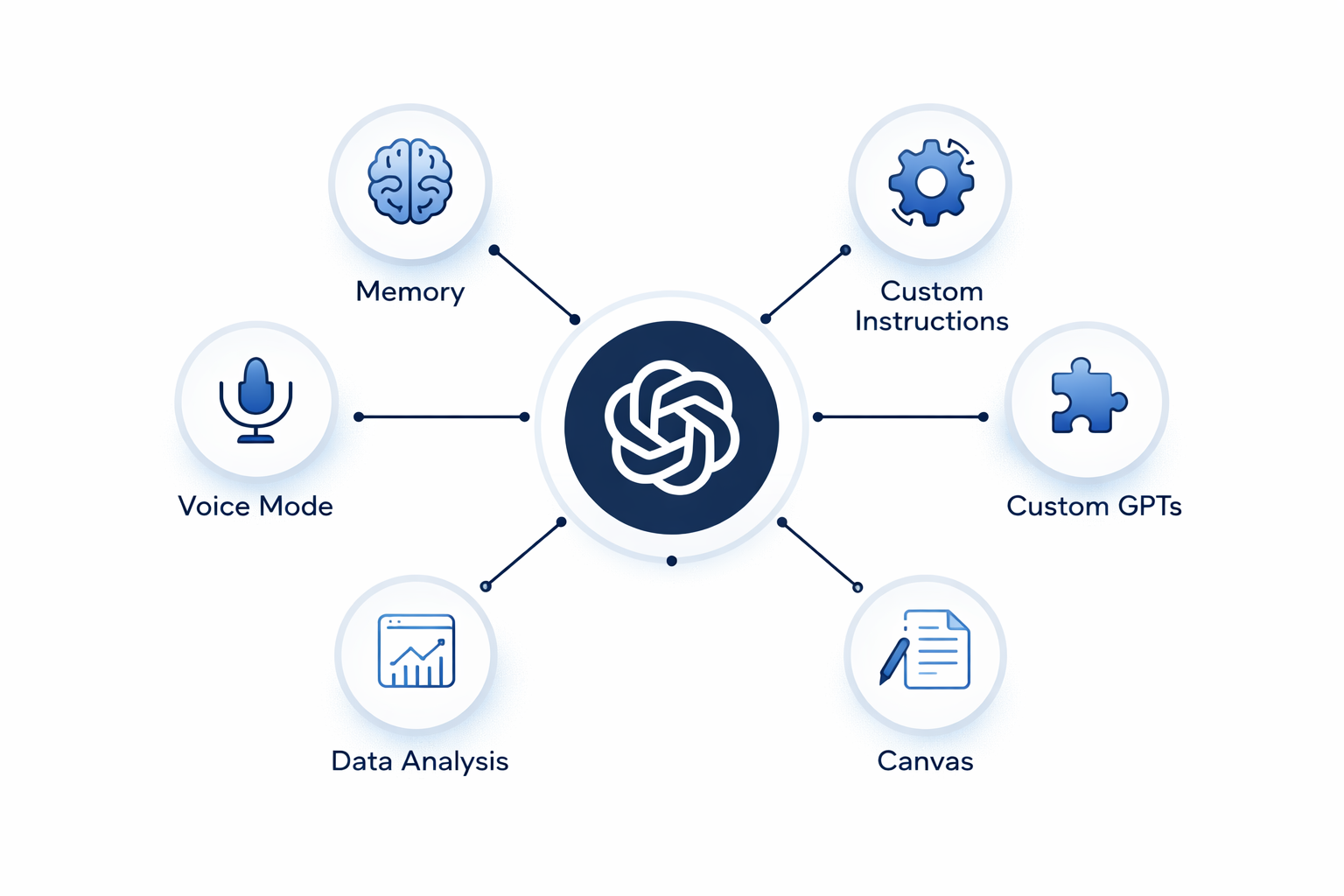
The Memory Feature: Your AI Finally Remembers You
This one has been around since mid-2024, but it's been updated significantly. And most business owners I talk to either don't know it exists or turned it off because they found it "creepy" without understanding what it actually does.
The ChatGPT memory feature lets the system remember details about you, your preferences, and your business across conversations. Not just within a single chat session, but across all of them. If you don't use this feature, your relationship with ChatGPT will be like Adam Sandler's in "50 First Dates."
This matters because without memory, every time you open a new conversation, you're starting from zero. You have to re-explain your business, your industry, your tone preferences, and your customer base. That's wasted time. And for a small business owner who might use ChatGPT five or six times a day, those wasted minutes compound fast.
How to Actually Use It
Go to Settings, then Personalization, then Memory. Turn it on if it isn't already. Then, in your next conversation, tell ChatGPT about your business. Be specific. Something like:
"I run a 12-person HVAC company in Phoenix. Our average job is $4,500. We do both residential and light commercial. Our busy season is April through October. I prefer responses that are direct and not too formal."
ChatGPT will store that. Every future conversation will have that context baked in. When you ask it to draft a follow-up email to a customer, it won't give you generic corporate language. It'll write something that sounds like an HVAC company owner talking to a homeowner. The difference in output quality is immediate and significant.
You can also keep giving it more information over time. "Remember that we switched from Housecall Pro to ServiceTitan last month." It adds to the profile. You can view and edit everything it's stored at any point.
One caveat: if multiple people in your company share a ChatGPT account (which is common in smaller operations), the memory feature can get confused. It'll blend everyone's preferences into one profile. If that's your situation, either use separate accounts or stick with Custom Instructions instead, which I'll get to next.
Custom Instructions: The Settings Page That Does the Heavy Lifting
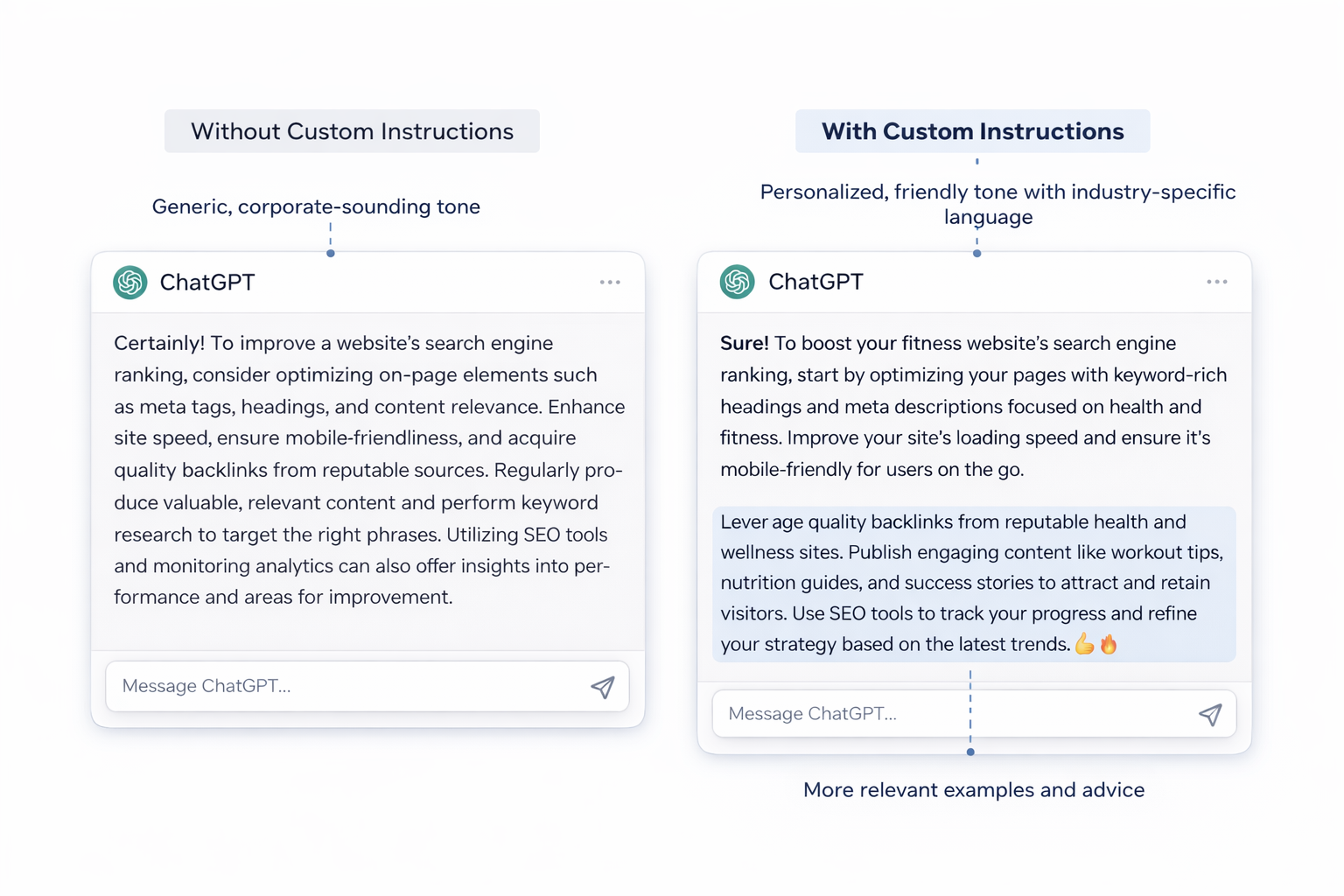
This is related to memory but different in an important way. Custom Instructions can be found in your settings and apply to every single conversation automatically. Memory accumulates over time from things you say. Custom Instructions are deliberate. You write them once, and they shape every response.
There are two boxes. The first asks, "What would you like ChatGPT to know about you?" The second asks, "How would you like ChatGPT to respond?"
Most people leave these blank or write something vague like "I'm a business owner."

30+ years of research strategy on projects for Oracle, Cisco, PayPal, and Walmart — now helping small businesses adopt AI that actually delivers.
More about George →Keep reading

AI renders faster and drafts proposals in minutes. But building codes, site conditions, professional liability, and field decisions remain structural limits no model handles.

Only 43% of associations can access their own member data. AI cannot fix what it cannot see. A practical guide to fixing the data foundation before buying AI features.

Solo architects and small design firms spend too many hours writing proposals that look like last month’s. AI can cut the assembly